
Web push
Mobile push

Changes in subscriber segmentation and tagging

Last updated -
June 10, 2026
Author photo
Aleksandra Kozioł
3 min

Back in the early days of PushPushGo, we decided to base segmentation on tagging. The main idea was to describe a particular characteristic of a subscriber with a single value. As the service grew, however, we began to look at ways to change the approach. 

Standard segmentation system

 Each subscriber can be tagged with any number of tags, which are used later: 

  • in automation scenarios,
  • for targeting mass campaigns.

In addition, each subscriber can have so-called Custom Fields that describe his or her condition for automation purposes.

With the development of the platform, there was a need for expiring tags or the ability to assign tags to categories. Therefore, so-called Tag Labels were created, which describe the behavior of a given tag.

After some time, with growth and user demand, we decided to change the approach. It gives much more "agility" for segmentation or simply campaign targeting.

A new model is the so-called labels, which, unlike tags, are characteristics that describe the subscriber in a key-value format.

New approach, new opportunities

The new approach is very similar to Custom Fields, with tags combined with Tag Labels synthetically pretending to be key-value. The unification will allow us to add many more targeting options in the future, i.e. by operating system, language, geolocation or activity, without the need to create tagging scenarios (data available from the system level).

In the near future, we will start implementing changes that will help us prepare for the introduction of full segmentation - a new approach called labels, which will combine the tags, tag label and custom fields used so far, as well as subscription metadata. 

The change is intended to make the segmentation approach more consistent.

Changes to the application

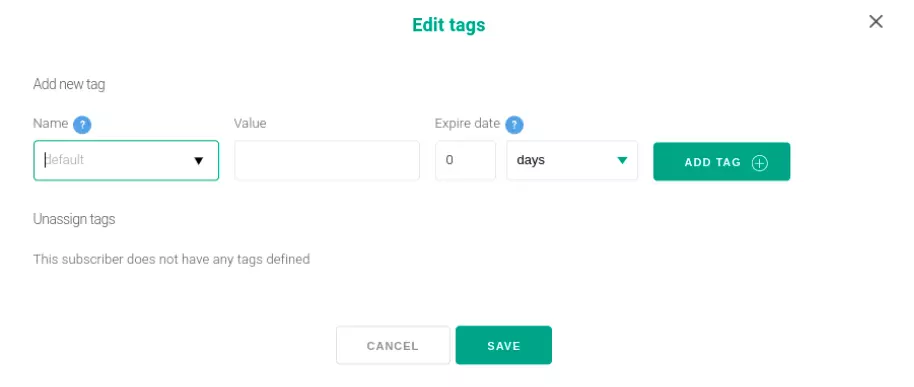
  • To the subscriber's tagging options will come the possibility of setting ttl (we always employ append strategy on this screen) due to the risk of making a mistake and "overwriting" all the default tags by choosing rewrite:

After implementation:

Changes to the application pushpushgo
  • No tag labels screen - from now on there is no need to define Tag Label in advance. We can always define the strategy (append or rewrite) and specify the time to live of this entry at the time of creating or adding a tag.

After implementation:

tag-label-pushpushgo
  • Changing the tag step in automation - dynamic tags now are defined like regular entries, just add the nunjucks syntax with a variable from {{ selector }}.

After implementation:

pushpushgo tags
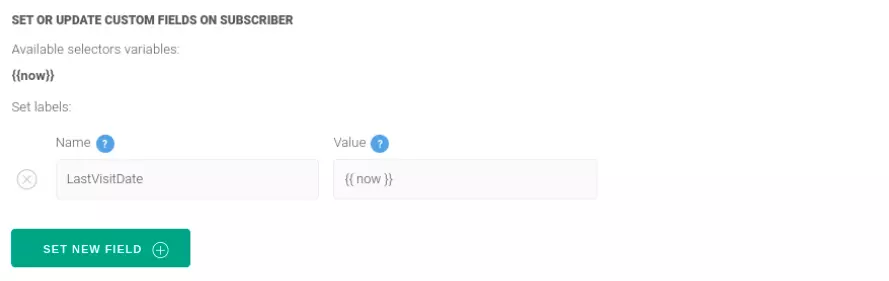
  • Change of update step in automation (no option to add custom fields) - we no longer need to define fields that have a specific type and name, we simply enter the key and value we want to assign to the subscriber.

After implementation:

update- tags pushpushgo
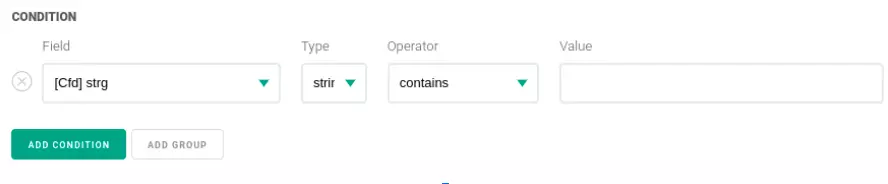
  • On the condition screen, there appeared the possibility to declare value types for custom fields - here we operate on the values we want to use, which allows us to cast the type of values retrieved with the selector.

After implementation:

custom-fields-pushpushgo
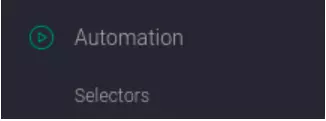
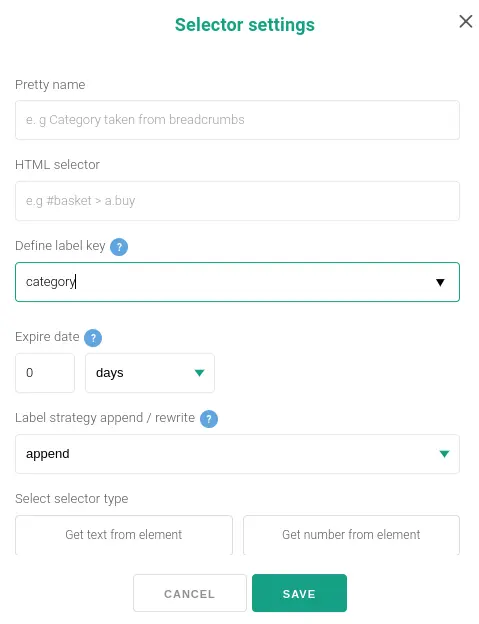
  • Tag selectors will no longer have the option of the old tag label. We simply enter the value of the category, strategies or possible ttl - this eliminates the need to create additional tag labels.

After implementation:

selectors pushpushgo

Do users need to change anything?

Will I have to modify anything due to the changes?

  • No, all changes are compatible with the previous system. The implementation was intended to facilitate tag management and prepare for the introduction of full segmentation.

If I use the SDK, do I have to modify anything? 

  • No, there is no need for that. On the other hand, the new SDK has the ability to add additionally for tags the tagging strategy and ttl.

If you introduce new segment screens, will I be able to tag as before - by selecting tags? 

  • We will certainly have this option for a while, but we will gradually extinguish it.

 Does opting out of tag labels increase the risk of making a configuration error, such as a typo? 

  • We've done our best to avoid such errors and make it as easy as possible to configure scenarios. The values that you will be typing on the selector screen, for example, will be available in the auto prompt on the screen, for instance, the automation tag.

In the next stage of implementation, we will enable defining the segments to which we frequently send messages, or recalculating them (currently, recalculation works only for specific strategies) instead of having to fill out a "tag selection" screen each time.

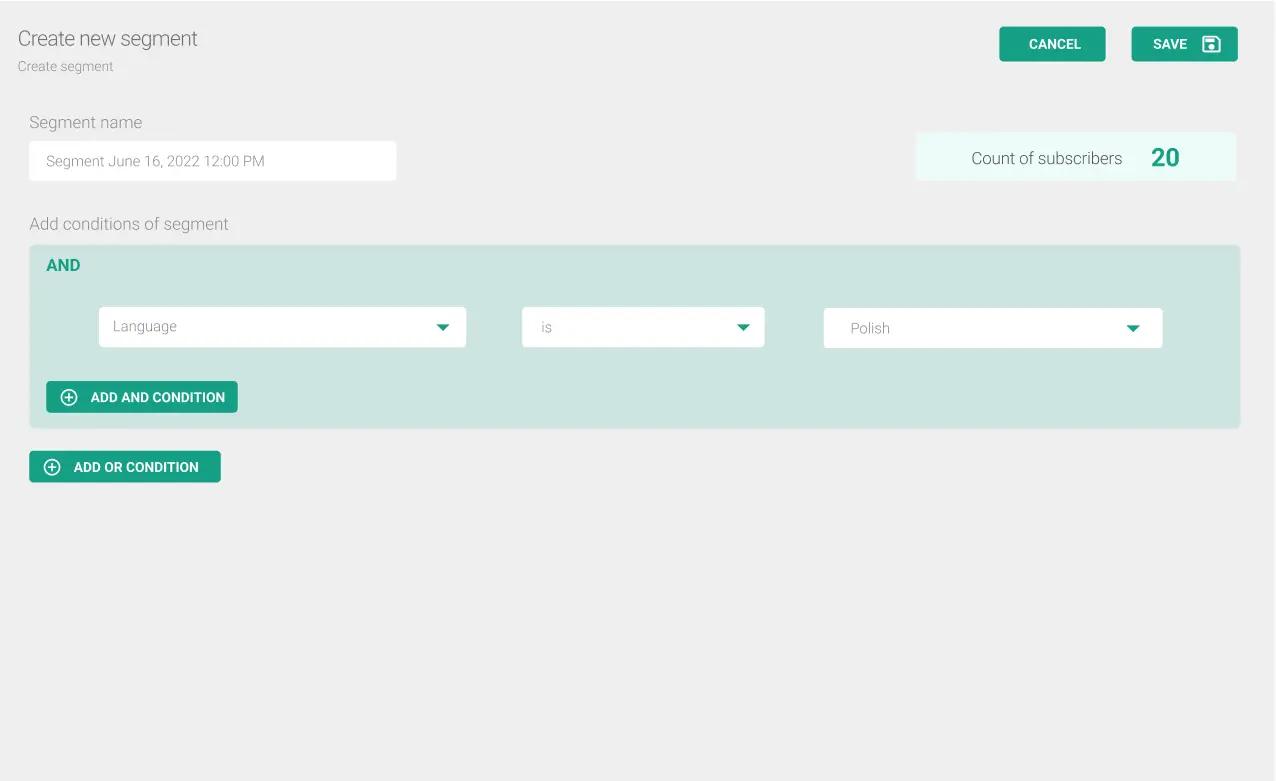
Below is a preview and visualization of the new segmented screens:
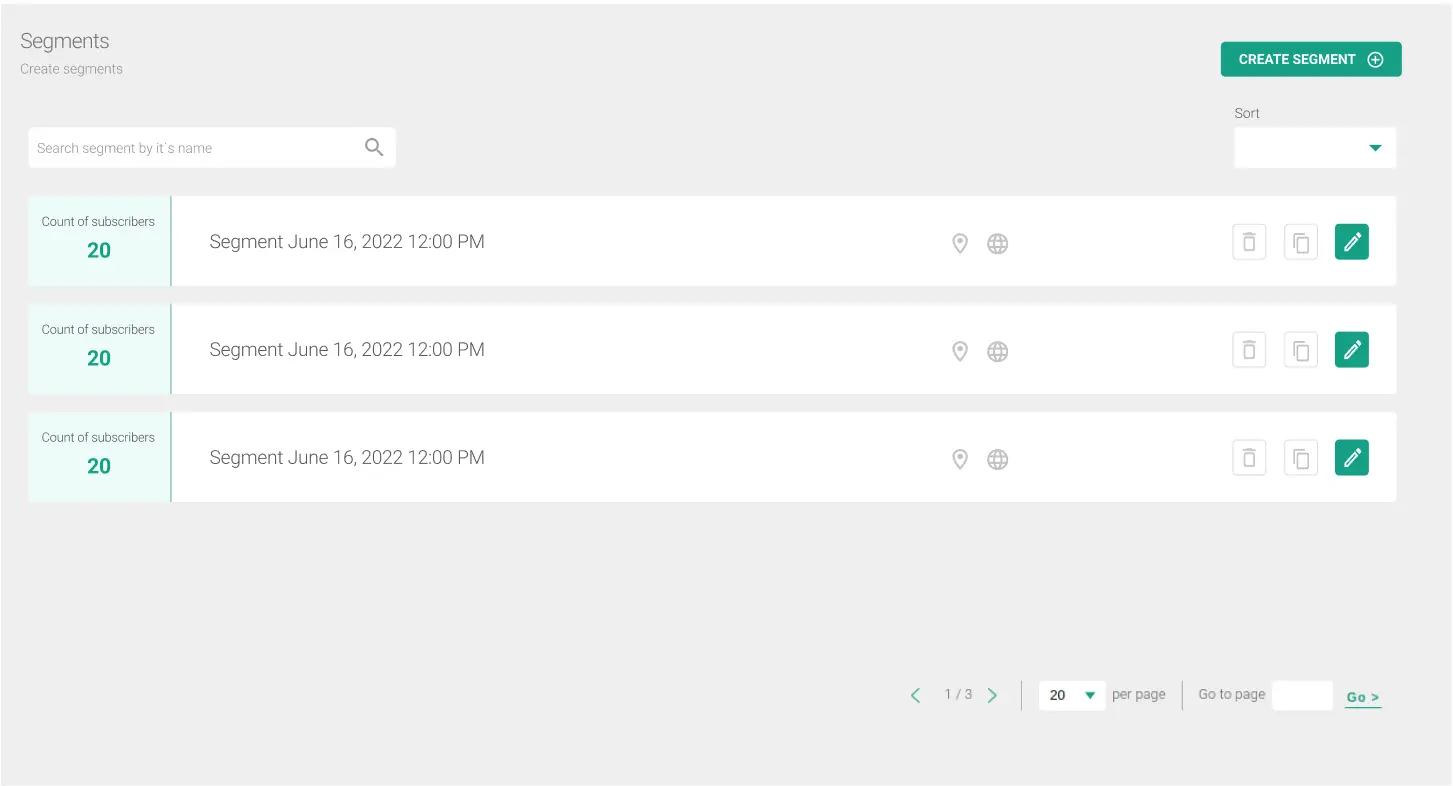
segments pushpushgo

Segment definition screen

segments pushpushgo

Do you have any questions for us? Write: support@pushpushgo.com

Aleksandra Kozioł
Content Specialist @PushPushGo

Editor and writer. She is interested in media and new technologies. 

Also on PushPushGo blog

Online marketing inisghts
Web push
Mobile push

Push notification strategy: build yours for 2026

Learn how to build a push notification strategy that brings users back, improves retention, and supports sales without annoying your audience.
May 28, 2026
25 min
Web push

What is a push strategy in marketing [2026 guide]

Learn what a push strategy in marketing is, how it compares to pull, and how to use channels like push notifications to drive engagement and conversions in 2026.
April 28, 2026
12 min
On-site communication
Web push
Mobile push

How publishers can win audience attention during FIFA World Cup 2026

FIFA World Cup 2026 means massive traffic—and competition. Discover how to stay relevant with speed, personalization, and smart engagement.
April 27, 2026
7 min

Start your free trial

Web push | Mobile push | Transactional notifications
Onsite notifications | Pop-up | In-app | WhatsApp channels
Start a 14-day trial!